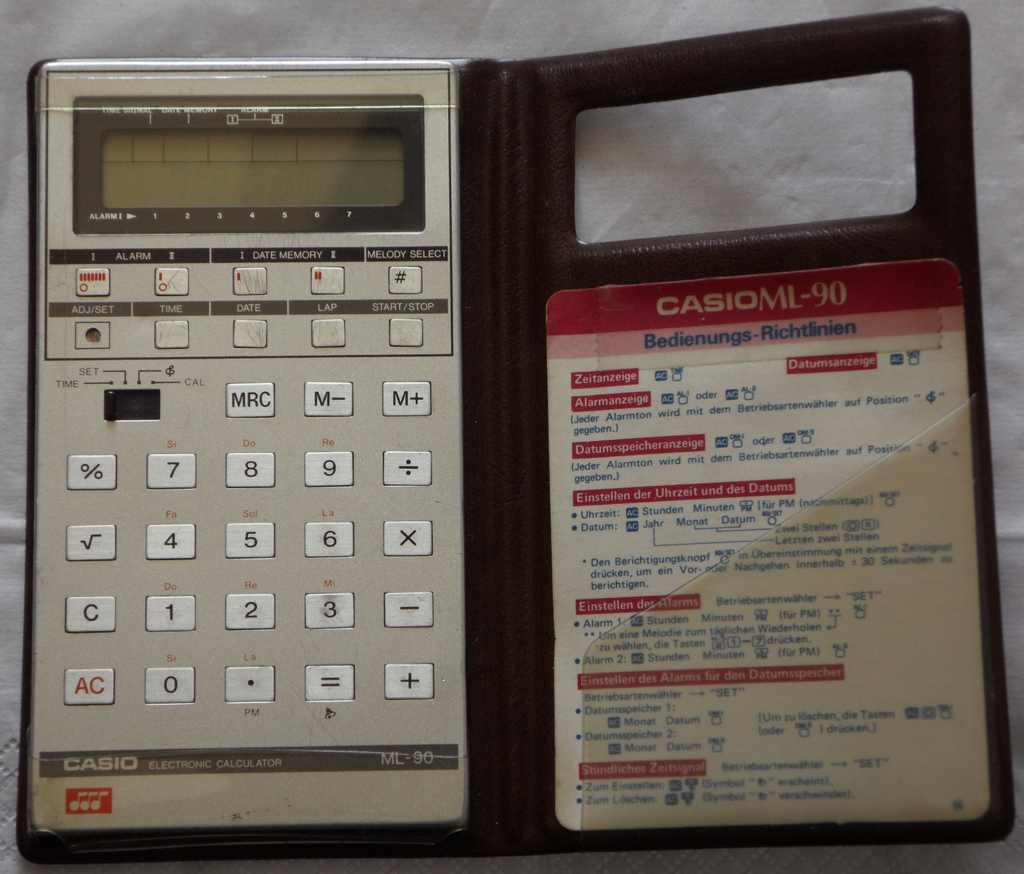
Once upon a time, calculators at school were considered as cool as nowadays smartphones. Although still mostly banned in math lessons as a cheating tool, kids boasted with having the newest calculator with the most interesting non-mathematical features. So as a highend gadget, the German retail price of this one was (if I remember well) quite enormous 119DM (equals roughly the same in modern Euros). But with 12 melodies, musical calculation result rendition and alarm clock calendar complications it was a technical marvel of its time, that despite high initial price sold quite well, so nowadays it is fortunately not rare.
Unfortunately the ML-90 is not Y2K compliant, i.e. only dates between 1910 and 1999 can be set, so the day of week now is displayed wrongly.
This model was also released as Casio ML-120. Due to strong similarities I only describe here the differences to ML-81.
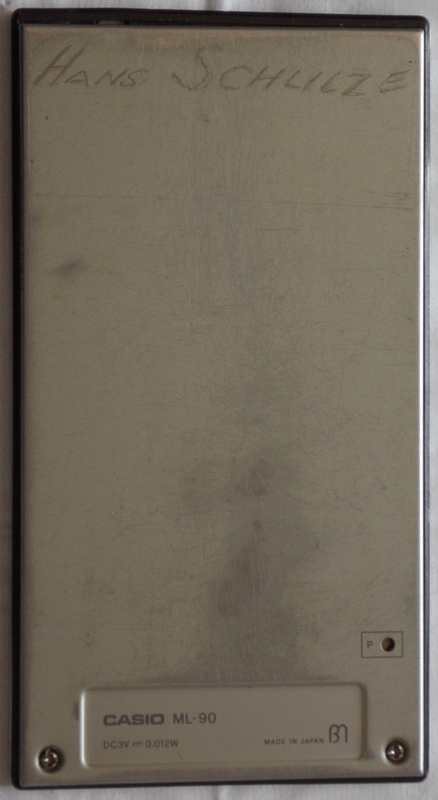
one key play: Buttons "time", "lap" or "start/stop" step a running melody forward. Pressing "melody select" in time mode repeats the current note of a running melody. "00000000" button addable (sounds 8x "0" as calculator result). time signal toggle button addable.
Finally the LCD foil cable got damaged when I looked inside, but I could fix this by installing an adhesive foam rubber strip (which buckled the front). I also had broken the clock trimmer, which resulted in strange random crashes (waked me up with scary nightly noises), hence I ripped it out which made the clock inaccurate. When I recently I looked inside again, I saw how badly plenty of screws were mangled or missing and screw holes shred, and how I had botched it back together with hotglue and way too big solder blobs on a too fat replaced speaker cables. I later had bought one in better condition on eBay, but this specimen (serial sticker "0D304A") lacks the R2D2 glitch, because it has an additional resistor.
Annoying is that (unlike ML-80 or ML-81) the internal calendar supports only dates between 1910 and 1999 (entered as 2 digit numbers), which since 2000 makes the day-of-week dot indicator and related melody alarms go wrong. It also has no date calculation, despite some residues of it still can be seen by entering incorrect dates; so e.g. 18-13-32 is automatically corrected into 19-02-01 by advancing higher digits, and dates still can be entered in calculator (no only 'set') mode despite nothing else can be done with them (neither calculation nor storing a date into memory works). Possibly this was done to to reduce rom consumption of the software to make the 12 melodies fit.
Setting the slide switch to music mode plays the first 3 notes of "Westminster". The musical calculator mode works like in ML-81. Unfortunately ML-90 lacks here the "one key play" feature to manually cycle through the notes of calculation results. Only melodies can be stepped forward or notes repeated.
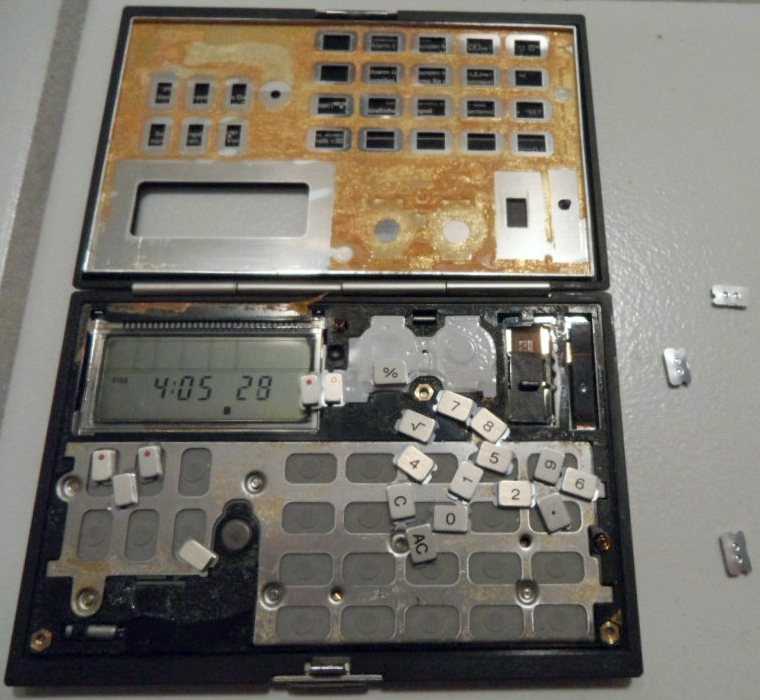
caution: A design flaw of Casio ML-90 and similar models is that
the sheet metal front of the slim case tends to loosen or fall off by flexing
or ageing of the internal glue, making keys dislodge or fall out. Although
this can be fixed with dual sided carpet adhesive tape, it is a messy work
involving lots of small parts. Particularly the tiny metal disc under the
clock set hole tends to fall in or out and get lost.
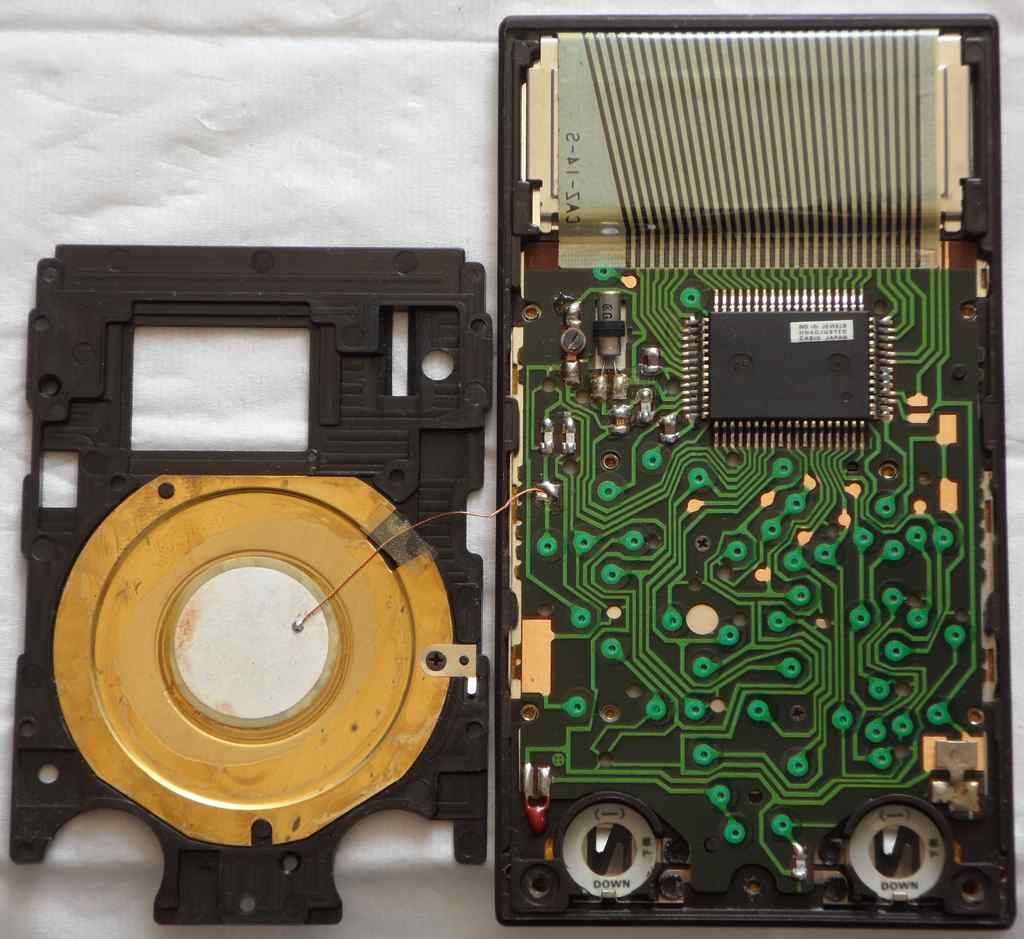
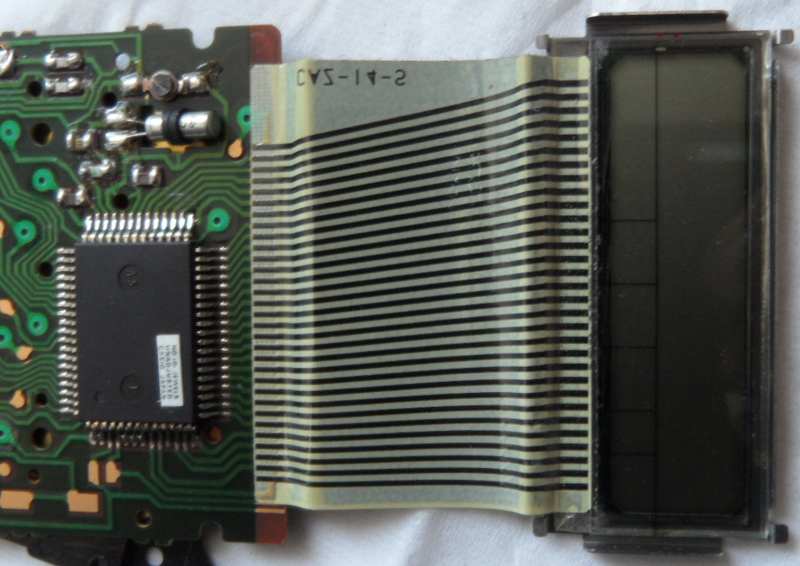
hardware detailsThe Casio ML-90 is based on an unidentified version of the D1864G CPU (crystal clocked likely at 32.768 kHz), which directly drives the piezo speaker. This CPU is soldered upside-down, so the print side can not be seen, but by pinout and behaviour it is almost for certain a software variant of the same CPU like in Casio ML-81.
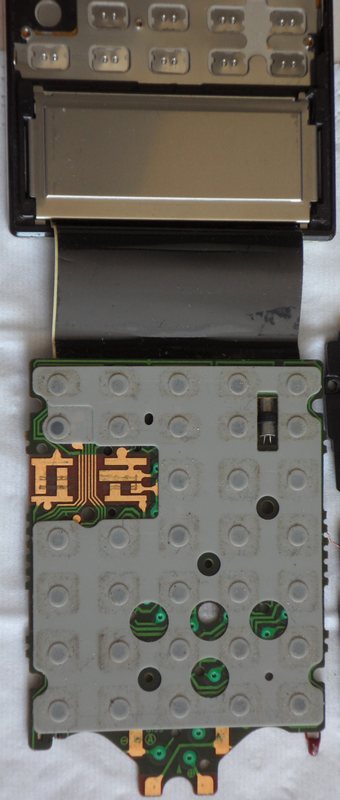
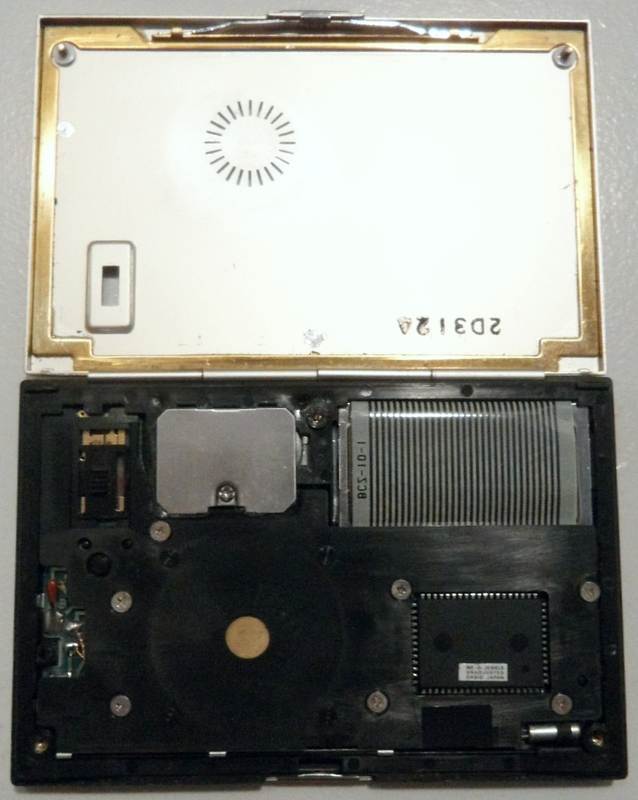
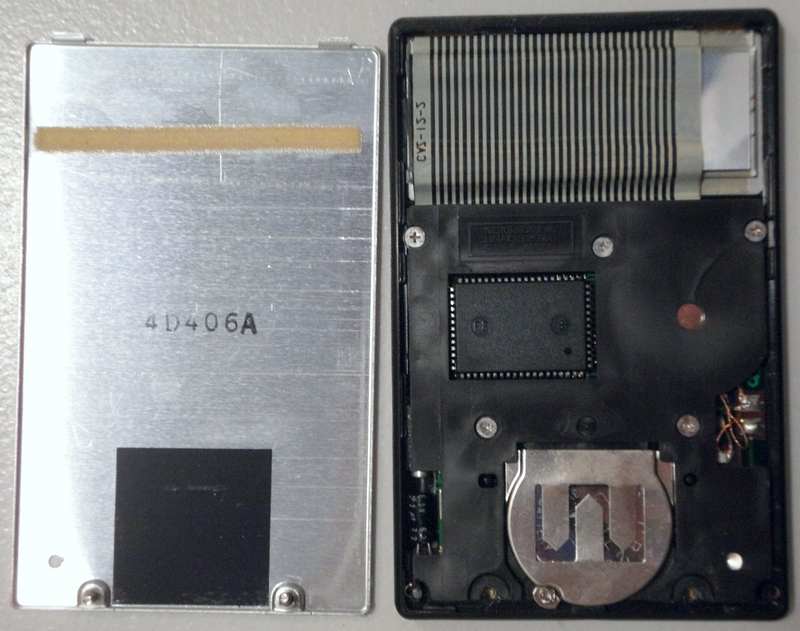
Do not remove the PCB or LCD if avoidable; the foil cable is fragile and in this model has no reinforcing adhesive film on the opposing side of the connector. The big black plastic plate (stabilizer) can be unscrewed and lifted off (be careful with the speaker wire). The stabilizer must be screwed properly on top of the PCB to prevent the case from flexing; else buttons get stuck or fall in when pushed to hard. Thus for tests only press them very lightly if the stabilizer is not in place. The PCB is held with 2 additional tiny black screws. After lifting it up, also the LCD metal frame can be carefully lifted out (not at the cable!), starting at its lower rim. caution: The LCD foil cable is fragile. Never pull at it (it may snap off) nor sharply fold it (carbon traces crumble off). Handle it with extreme care. (If the cable comes loose at an end, install an adhesive foam rubber strip to press it on.) The upper tabs of the LCD metal frame must be inserted under the plastic rim, then the bottom end carefully pushed down.
The case front is an annoying construction, consisting of a plastic rim with thin sheet aluminium structure frame inside (held by tabs), that stabilizes the outer front shell. The bad thing is that both sheet metal parts are sandwiched together only by thin double sided adhesive tape, which turns brittle over time. This makes (particularly after flexing) the case front come loose and metal buttons get stuck underneath. In worst case the entire front may fall off, spawning lots of small parts (including buttons and a tiny grounding spring) everywhere. The most annoying part is a tiny metal disc under the "ADJ/SET" hole, that tends to disappear between both metal layers (impossible to get out without separating the entire case, which may leave bend marks) once the surrounding glue went bad. To prevent this, glue the disc with a small piece of double sided carpet adhesive tape or glue stick to its place on the rubber contact mat. (I had lost the disc and made a new one from a 3.5'' diskette metal slider (also tea light cup may work) - later I found it stuck between layers.) If the front shell came loose, fix it with carpet adhesive tape. test modes The CPU test pins are wired here to 0V and need to be desoldered for access. Pulling pin 64 hi switches the keyboard into a test mode, which disturbs keyboard matrix sensing in strange ways (buttons hold notes of a running melody etc.). Pulling pin 63 hi enters another test mode which adds glitches to the display contents. The '4' and '5' keys sound a continuous tone with the pitch (and previous volume step?) of the last played note. Pressing them again makes the volume increase by each one step (7 in total) and return to 0 (silence), which was likely made for DAC testing. Key '3' switches volume (and sometimes slowly pitch?) in more irregular order, and during each press also a dot travels left to right through the display and sometimes the rightmost digit changes. Likely this was made to test internal memory addresses, but the output looks very messy and is certainly not a hex monitor. Also other buttons do semi-random nonsense. E.g. "melody select" sometimes blanked the display (messes up LCD voltage or frequencies?). Like in ML-81, during both test modes I observed fast data pulses on matrix out pins. keyboard matrixThe keyboard matrix of this monophonic instrument has no diodes. The only 4 input lines hint to a simple 4-bit architecture. I found only 3 eastereggs and no doublets.
The input lines are active-high, i.e. react on +Vs. Any functions can be triggered by a non- locking switch in series to a diode from one "out" to one "in" pin. The matrix out pulses have only 2Hz, despite inputs are sensed faster.
Likely it does an additional pulse when input voltage changes. The slide
switch needs no locking contacts. If removed (the bridging contacts interfere
with buttons in intermediate positions), after battery insertion the device
starts in calculator mode (seems to crash more often, possibly by improper
reset).
A button wired at 18->8 locks the display into 'time' mode, i.e. pressing 'date' or alarms etc. makes the display rapidly return to time display. Unlike pressing the normal 'time' button, this matrix place has no "one key play" behaviour. This feature is used in Casio ML-8 to display time when the lid is closed. A locking switch at 18->9 plays the 'alarm I' melody when the clock mode contact 18->8 is opened and stops the still running melody (but no others) when clock mode is closed again (used in ML-8). |
The 12 melodies are:
The "electronic buzzer" of alarm-1 goes "bleepbleepbleepbleepbleepbleep - bleepbleepbleepbleepbleepbleep -...", that of alarm-2 goes "bleepbleepbleep - bleepbleepbleep -...". Alarm is set by typing e.g. "1200 AM # 0 'alarm-1' ". The cipher 0 behind "#" ("melody select") stands for buzzer. Very confusing is that once set, this completely prevents manual start of the alarm-2 melody (not even by "melody select"). With alarm-2 you simply have to set an alarm with omitted "#" to get the melody back. I remember that this drove me crazy when as a child I desperately thought I had now permanently erased the melodies. (I think my parents even finally asked in the shopping center how to get them back, and the vendor pressed "P" or even took batteries out because he had no clue how to enable them without reset.) To get the melodies back, simply set its alarm time without "#" + cipher to return to default behaviour. To toggle an alarm on/off (displays icon when on) enter "set" mode and press its button twice.
The Westminster chime (here wrongly named "Big Ben") is very famous in Japan - not only in clocks but also as their classic school gong; however even this one slightly differs from the traditional 4-bell clock chime, because it plays "E3, C3, D3, G3 - E3, C3, G2, C3". The ML-90 clock plays it only at 12:00 noon (no hour tolls) but at other hours sounds the time signal, which is here a beeper ("bibibi - bibibi") that differs from ML-81. To toggle time signal on/off enter "set" mode and press "=" (displays bell icon when on).
 |

(old eBay photos) |
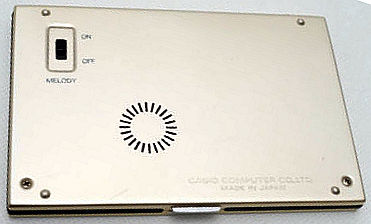
(old eBay photo) |
 |
 |
everything of ML-90. (The LCD even has the "M" icon for calculator memory.)
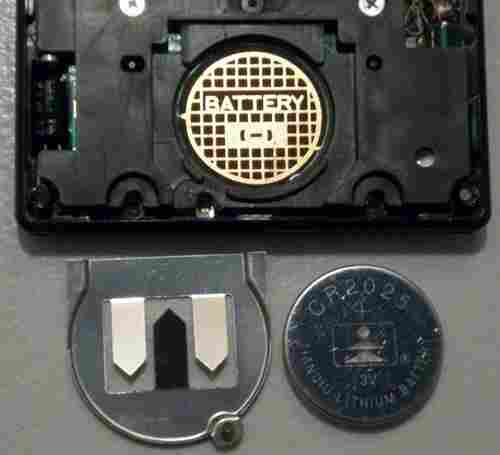
caution: To replace batteries, only unscrew the 2 bottom screws to detach the top. Do not attempt to pry or peel at the sheet metal panel, else it comes off and all keys and switches will fall out! This can also happen by ageing. See ML-90 hardware how to fix this.

The buttons for melody select ("#"), date alarm I & II and even the squareroot have been omitted, which makes it way less interesting. Only 8 melodies are available, of those the 7 of alarm I can not be selected manually anymore (neither for alarm nor demo), but depend on the day of the week. Also the feeble speaker sounds thin and way too quiet.
 |
 |
Calculators based on ML-90 hardware can be recognized by the bell icon
under the "=" button, and they normally also have a "melody select" button.
A credit card size version came out 1982 as ML-75 and a very rare
desktop calculator (silver with rounded plastic buttons) as ML-1200.
A fullsize alarm clock version (plastic case with lid over calculator buttons,
bigger speaker) came out as Casio MQ-100 (white) and MQ-1200
(silver).
| removal of these screws voids warranty... | ||
 |
 |
|
|
|