|
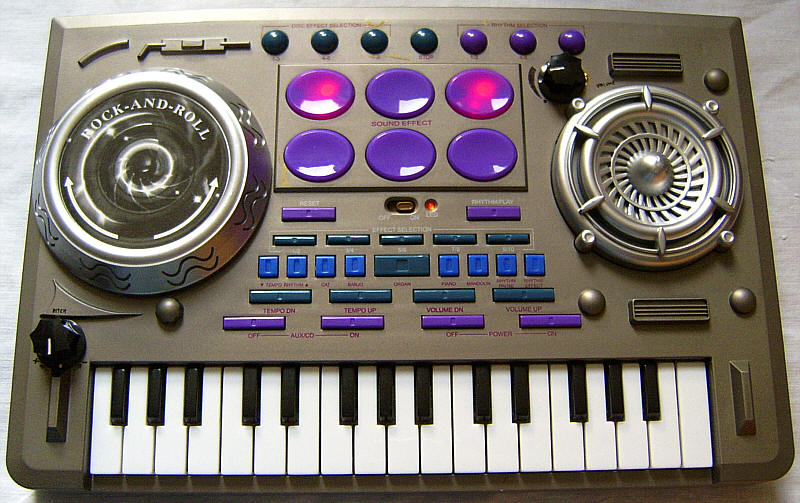
This toy groovebox keyboard from 2004 has a lot of sound effect samples and lo-fi background preset music pattern loops. Its behaviour and samples blatantly resemble Kid's Com - Mix Me DJ, however the main voice is only monophonic and 3 of the 5 main voice sounds are made from nicely cheesy plain squarewave. The main voice is detuned 1 note too high.
Despite different case design, the sound samples, LED effects, user interface and behaviour of this strange toy keyboard are almost perfectly identical with Kid's Com - Mix Me DJ. The only major differences are that the sound generator of the J.X.T 20808 has only 2 polyphony channels (one only for the background patterns, the 2nd is shared among everything else), there are less preset sounds (many drumpad sounds are doublets), and some samples even sound poorly looped or truncated. This all leads to the logical conclusion that its CPU can be only either an older predecessor or (more likely) a blatant copy of it. Thus apparently Chinese tablehooter manufacturers now even have started to pirate each other. The abbreviation J.X.T with its characteristic red brand logo clearly stands for Jin Xin Toys (see JX-20165 what ridiculous stuff they make) while the original Mix Me DJ was created by Potex, and the stylish box design with the big blue "ULTRA-MIXER" logo is even a blatant imitation of Potex' great Beat Square - Mix Evolution. 3 of the 5 main voice preset sounds are made from plain squarewave with complex volume envelopes and zipper noise. Especially the "mandolin" rings while it fades quieter, which reminds to cheesy tube synth sounds from a 1950th high- end version of a Clavioline. Unfortunately the keyboard ignores key press duration and refuses very fast played notes. Generally the style of sample based sounds strongly resembles those on Mix Me DJ, however many timbres are brighter and sound straighter and more direct, not least because the monophonic sound generator prevents staccato sounds from overleaping and mixing into each other.
The Engrish instruction manual printed on the box refers all buttons by cryptic numbers instead of names, which makes it completely incomprehensible for non- engineers. And the control panel layout is badly illogical even compared with the original Mix Me DJ , since functions are spread in random order among differently looking buttons and partly mislabelled. After power on, the thing plays ear tormenting loud, and also with the separate channel volume control buttons (there is no master volume) it can not be set quieter than medium ambient volume.
Due to the strong similarities with Kid's Com - Mix Me DJ I only explain here the differences to the latter.
press "AUX/CD on" to disable the annoying auto power-off. A strange glitch sometimes stops the rhythm and switches back to rhythm 9 when the "rhythm effect" button is pressed.
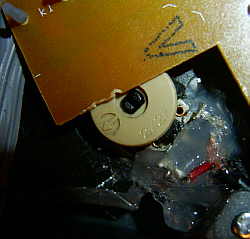
The keyboard main voice preset sounds are only monophonic and share the same polyphony channel with the drumpad and scratch disc sounds; i.e. unlike Mix Me DJ their notes mutually truncate each other. The preset sounds "cat" and "banjo" are made from noisy low resolution samples with 3 key split zones. While "banjo" sounds sounds roughly like expected, "cat" is a classic analogue synth filter sweep "meow" timbre. During normal operation it sounds hissy and rather unspectacular, but when pitched down by 1 or 2 octaves (after adding a pitch potentiometer), it turns into a nicely sonorous kind of speech synth "ey!" or "oi!" timbre. The remaining 3 preset sounds are made from plain squarewave with complex volume envelope, those have a nicely cheesy appeal. "piano" starts like the average squarewave toy music box sound, but during decay there is a delayed 4Hz tremolo (turns 4 times louder and quieter). "organ" has soft attack and holds the note for 3 seconds and then decays within 1 second. "mandolin" is quite unique; because rings fast (with about 8Hz) after a short delay while it decays within 1 second. This strongly reminds to a certain 1950th tube synthesizer sound of a high- end variant of the Clavioline. (The ring speed can be nicely changed with the pitch pot.) Unfortunately the keyboard ignores key press duration and refuses very fast played notes by too slow keyboard matrix scanning.
Rhythm and scratch disc basically behave like with Mix
Me DJ, although the count of available sounds and background patterns
is smaller. Thus the drumpad sound sets contain various doublets with different
combinations of the same samples. Unlike Mix Me DJ some rhythm samples
trip a little by poorly set sample loop points. Other samples are truncated;
e.g. a vocal sample on the scratch disc shouts "dan_!" instead of "dance!".
The "rhythm effect" button behaves a bit different from Mix Me DJ;
while the latter simply mutes and unmutes the running pattern, the J.X.T
20808 instead skips a half pattern forward by each press; when the
button is held, it additionally mutes and unmutes the pattern twice a second.
This button has a bug; it sometimes stops the pattern (i.e. it will not
restart by the same button or "rhythm pause") and switches back to rhythm
9 (which like after power on starts by pressing "rhythm/ play").
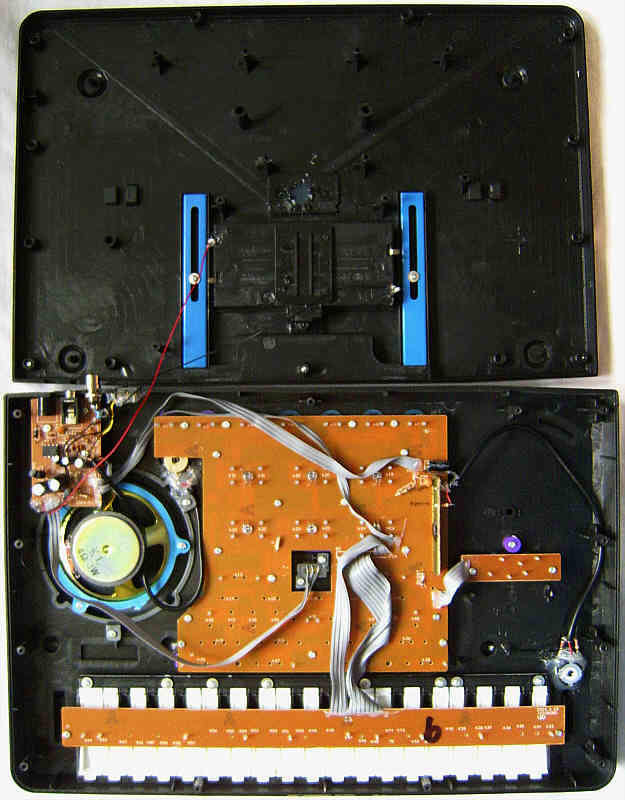
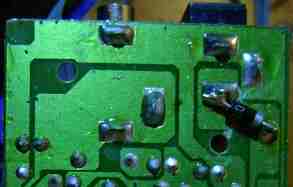
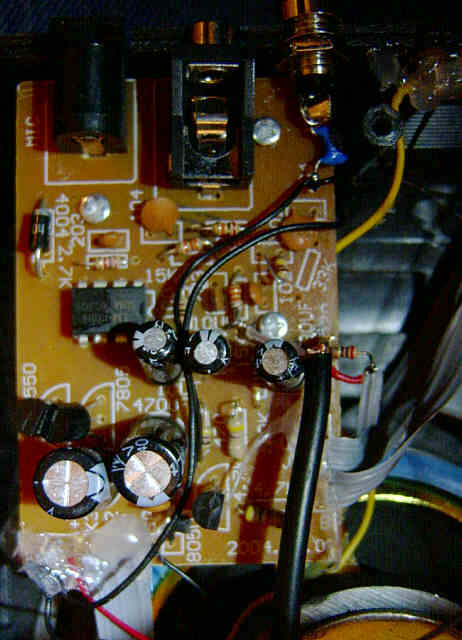
circuit bending detailsThe main PCB is quite empty; the power amplifier and jacks are placed on a separate small PCB. The CPU "JX20808A" is a COB module with DC controlled clock oscillator. It has no time slice DAC. (I haven't analyzed the hardware closer yet.)
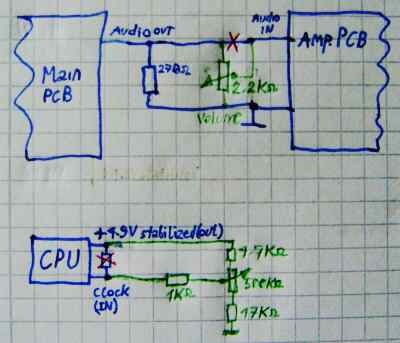
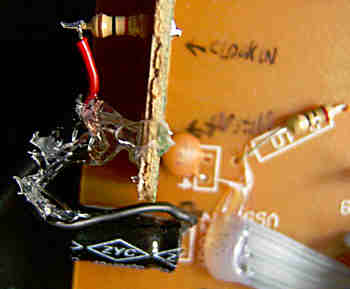
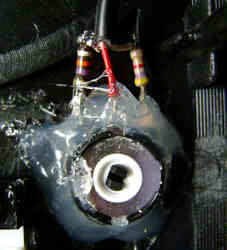
volume & pitch controlTo add a volume control, cut the audio output line from the mainboard to the audio input of the amp PCB. Connect of a potentiometer (I used 2.2k) the wiper to the amp's audio input, the left pin to GND and the right pin to the audio output of the mainboard. Use shielded cables (shield on GND) to prevent static noise.
|
| removal of these screws voids warranty... | ||
 |
 |
|
|
|